The 3-2-1 backup rule is simple: keep three copies of your important data, on two different types of storage, with one copy kept offsite. It’s the backbone of almost every sensible small business backup strategy, and it’s the rule the federal Cybersecurity and Infrastructure Security Agency (CISA) recommends.
This post explains what each number means in a real small office, what “different media” and “offsite” mean today, whether 3-2-1 is still enough against ransomware, and how to check your own setup in five minutes. For how we set backup up for clients, see our data backup and recovery service.
What the 3-2-1 rule means
CISA’s “Data Backup Options” paper states the rule this way:
- 3: Keep 3 copies of any important file: 1 primary and 2 backups.
- 2: Keep the files on 2 different media types to protect against different types of hazards.
- 1: Store 1 copy offsite (e.g., outside your home or business facility).
The logic is that each copy protects against a different failure. The second copy covers a dead drive. The different media covers a problem that hits one kind of storage. The offsite copy covers fire, flood, theft or anything else that takes out the whole office.
What 3-2-1 looks like in a 10-person office
Here is a typical small office and one way it can meet the rule:
- Copy 1 (primary): shared files on an office server or network storage box, plus the files on each laptop.
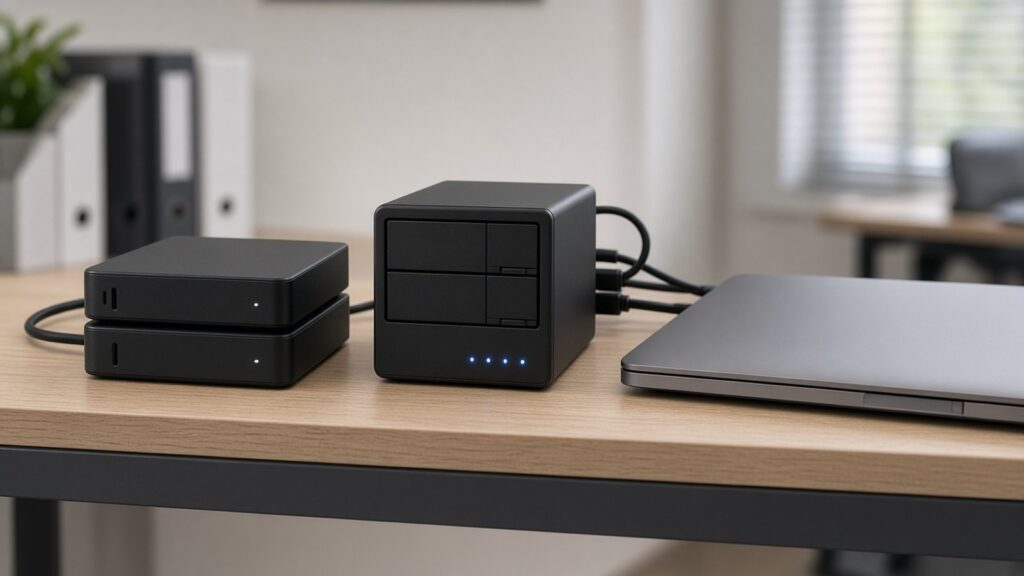
- Copy 2 (local backup): a nightly backup of the server and laptops to a separate backup device in the office. Local copies restore fastest.
- Copy 3 (offsite): an automatic copy of that backup to a cloud backup service, so the data survives if the building doesn’t.
That’s three copies, two kinds of storage (the server and backup device locally, the cloud offsite) and one copy out of the building.
Don’t forget email and cloud documents. Many offices assume Microsoft keeps everything safe forever. It doesn’t work that way, and our post on why Microsoft 365 is not a backup explains what Microsoft does and doesn’t keep.
What counts as “different media” and “offsite” today
These two parts cause the most confusion.
Different media used to mean tape versus disk. Today, the practical test is: would the same failure destroy both copies? Two folders on the same drive fail together. A server and a separate backup device are different. A local device and a cloud service are clearly different.
Offsite means physically somewhere else. A few common mistakes:
- A USB drive left plugged into the server isn’t offsite. If the office floods, it floods too, and if ransomware reaches the server, it can reach the drive.
- A drive someone takes home counts only if it actually leaves every time and comes back for the next backup. Most offices stop doing this within a few months.
- A cloud backup counts, as long as it runs automatically and someone checks that it’s working.
Is 3-2-1 outdated?
No, but ransomware changed what a good backup needs. CISA’s #StopRansomware Guide recommends maintaining “offline, encrypted backups of critical data” and regularly testing them, because many ransomware variants try to find and delete or encrypt any backups they can reach.
That’s why many IT providers now talk about extra steps on top of 3-2-1:
- An offline or immutable copy. Offline means disconnected from the network. Immutable means the backup can’t be changed or deleted for a set period, even by an administrator account.
- The 3-2-1-1-0 idea. A name associated with the backup vendor Veeam: 3-2-1, plus 1 offline or immutable copy, plus 0 errors when you test a restore.
You don’t need to adopt the label. You do want at least one copy an attacker can’t reach, and proof your backups restore.
A backup you’ve never restored is a guess
Backups fail quietly. A job stops after a password change, a drive fills up, a new folder never gets added. The only way to know a backup works is to restore from it.
A simple routine for a small office:
- Check backup reports regularly. Confirm each job finished, not just that it started.
- Restore a few files on a schedule. Pick a random folder and restore it to a different location.
- Test a full restore occasionally. Bring back a whole computer or server to confirm you could recover from a total loss.
- Write down how to restore. If the person who set it up is unavailable, someone else should be able to follow the steps.
5-minute self-check: does your setup meet 3-2-1?
Answer yes or no:
- Do you have at least three copies of your important business data?
- Are those copies on at least two different kinds of storage?
- Is at least one copy outside your building, updated automatically?
- Is at least one copy disconnected or protected from deletion?
- Are your email and cloud documents backed up, not just stored with the provider?
- Has anyone restored a file from backup recently, on purpose, to test it?
- Does someone get told when a backup job fails?
Any “no” is a gap worth fixing before you need the backup.
How we handle backup for clients
If you want to see how we approach backup and recovery, our data backup and recovery page has the details. Already lost something? Deleted doesn’t always mean gone, so call before anything else is written to the drive.
Request IT help, or call 207-653-4143.
FAQs
What is the 3-2-1 rule in backup strategy? Keep three copies of important data (one primary and two backups), on two different media types, with one copy stored offsite. CISA recommends it for business and personal data.
Is a 3-2-1 backup outdated? No. It’s still the foundation, but ransomware means at least one copy should be offline or immutable, and restores should be tested.
What is the 3-2-1-1-0 rule? 3-2-1 plus one offline or immutable copy, plus zero errors in restore tests. The name is associated with the backup vendor Veeam.
What’s the best backup strategy for a small business? One that meets 3-2-1, includes a copy attackers can’t reach, covers email and cloud data, runs automatically, and is tested on a schedule.
Sources
- CISA, Data Backup Options: https://www.cisa.gov/sites/default/files/publications/data_backup_options.pdf
- CISA, #StopRansomware Guide: https://www.cisa.gov/stopransomware/ransomware-guide
- Information Systems of Maine, Data Backup & Recovery: informationsystemsme.com/it-services/data-backup-recovery/