Backup internet for business is a second, independent connection to the internet that takes over when your main one fails, so phones, card payments, email and cloud apps keep working. A common setup pairs your main wired service with a different kind of link, such as fixed wireless, a 5G or LTE cellular connection, or satellite, behind a router that switches over automatically. The rule that matters most: the second path should not share the same wire, the same provider or the same single point of failure as the first.
Information Systems of Maine lists “Network design for new or growing offices” among the decisions its technology consulting helps with. This guide covers the general questions any Maine small office can work through first.
What is backup internet for a business?
It is a second path out of your building to the internet. When the primary connection drops, traffic moves to the backup; when the primary comes back, traffic moves home again. That switch is called failover.
Backup internet is not the same as backing up your files. Data backup protects copies of your information. Business internet backup protects your ability to reach that information, and everything else online, while the main line is down. If you landed here looking for file backup, start with Microsoft 365 Is Not a Backup.
It is also different from your office Wi-Fi. Wi-Fi moves data around inside the building; the internet connection carries it out. Our post on the basics of a good Wi-Fi network covers the inside part.
Why does a small Maine office need a second connection?
Because more of the workday now runs over the connection than most owners realize. Three things usually stop first:
- Phones. The FCC is direct about internet phone service: “VoIP service may not work during a power outage or when the internet connection fails or becomes overloaded.” If your office switched to VoIP, an internet outage can be a phone outage. Our VoIP buyer’s checklist covers the questions to ask a phone vendor about outages.
- Cloud apps. Email, file sharing and many line-of-business tools live online. See are cloud services right for your business.
- Payments. Card terminals and online point-of-sale systems generally need a live connection to process sales.
A storm, a cut cable or a provider problem can each take a single connection down. A second, separate path is how you keep working through it.
What are the options for business internet backup?
Most small offices choose from four kinds of connection. This is general guidance, not a product ranking; what works depends on what reaches your address.
| Option | What it is | Why offices choose it | What to watch |
|---|---|---|---|
| Second wired connection | Cable, fiber or DSL from a different provider | Steady speeds, similar to a primary line | May share poles, conduit or the building entry with your main line |
| Fixed wireless | An antenna on the building talks to a provider’s tower | No shared cable in the street | Needs a clear line of sight to the tower |
| Cellular (5G or LTE) | A cellular router or modem using a mobile network | Quick to add; no new wiring | Indoor signal varies; check data limits |
| Satellite | A dish connects to satellites overhead | Available in many rural spots | Needs a clear view of the sky; weather can affect it |
Wireless backup internet and cellular backup internet are popular because they do not depend on the cable in the street. That independence is the point.
How do you find out what is available at your address?
Start with the FCC National Broadband Map. The FCC says its fixed map shows “the fiber, cable, DSL, satellite, or fixed wireless internet services available at each home or small business on the map,” including which providers report service at that location.
For cellular backup, read the mobile map carefully. The FCC notes that mobile coverage areas “represent where mobile users can get a connection when outdoors or in a moving vehicle, but not indoors.” Test the signal inside your office, where the equipment will sit, before you commit.
In Maine, the Maine Connectivity Authority reports: “As of December 2024, everyone in Maine has an option for internet connectivity, or plan in place to be served.” One option is not two, though, so the map check matters.
What makes a backup connection truly independent?
Separation. NIST’s contingency planning guide, written for federal systems but useful for any office, says redundant links should “have physical separation and do not follow the same path; otherwise, a single incident, such as a cable cut, could disrupt both links.” Where two providers are used, it says they should “not share common facilities at any point, including building entries or demarcations.”
Questions to ask before you sign:
- Does the backup use a different provider than the primary?
- Does it use a different technology, such as wireless instead of a second cable?
- Does it enter the building at a different point?
- If both are wired, do they run on different poles or conduit?
How does automatic failover work?
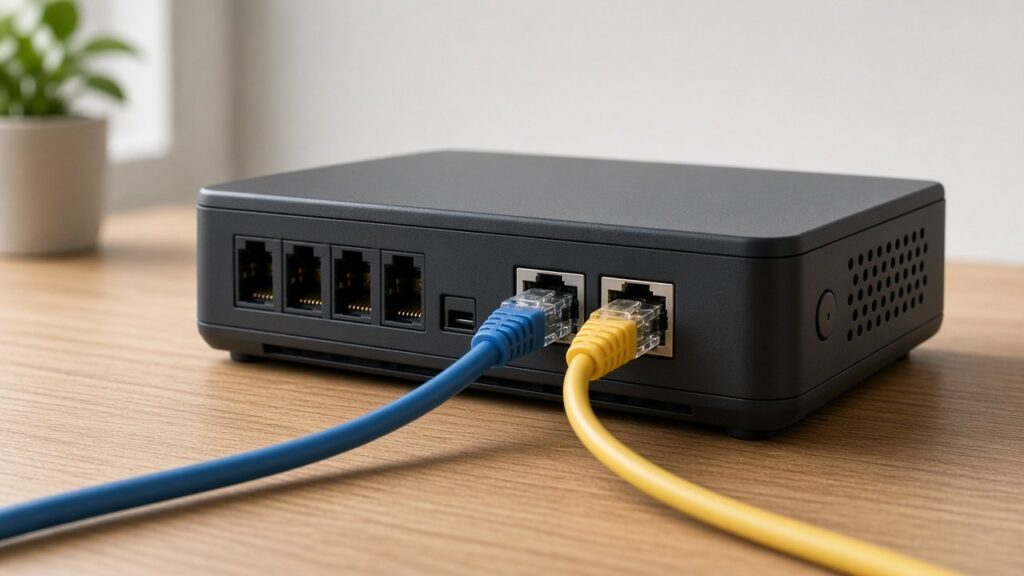
A dual-WAN router or firewall has two internet ports, one for each connection. It keeps checking whether the primary is reaching the internet. When it is not, the device sends traffic over the backup, then moves it back when the primary recovers.
Two things to plan for:
- The router itself. One router is still one point of failure. NIST notes that duplicate devices “such as routers, switches, and firewalls, can create high availability.” Whether that is worth it depends on how critical the connection is to your business.
- Knowing it happened. NIST also describes monitoring software that “issues an alert if a node or connection begins to fail.” An office should know when it is running on backup. Our post on why computer networks need constant monitoring explains why.
Why plan power and internet together?
A backup connection does not help if the equipment has no power. The FCC’s tip for VoIP users: “Consider installing a backup power supply, maintaining a traditional phone line or having a wireless phone as a backup.” The same logic applies to the modem, router, network switch and any phones powered through it. Decide which devices must stay on in an outage and plan power for those.
How do you test failover before you need it?
Test on a quiet day, during business hours, with someone watching:
- Unplug the primary connection at the modem.
- Confirm the router switches to the backup.
- Make a test phone call, open a cloud app and run a test card transaction if you take cards.
- Check that any monitoring alert arrives.
- Plug the primary back in and confirm traffic returns to it.
- Write down what happened, and repeat the test on a schedule.
What should you do if the internet is already down?
- Check whether the power is out, too.
- Restart the modem and router once, in that order.
- Check your provider’s outage line or status page from a phone.
- Switch phones to cell forwarding if your system supports it.
- Note the time and what stopped working, for the provider and for your plan.
- Call your IT provider.
How can Information Systems of Maine help?
Information Systems of Maine’s technology consulting page lists network design for new or growing offices. Consulting is available on its own: the page says you do not need to be a managed client, and its answer on pricing is “Hourly or per project, agreed up front.” The page says ISM reviews “your computers, network, backups and security at your office.”
FAQ
Is backup internet the same as data backup?
No. Backup internet is a second connection to the internet. Data backup is a copy of your files and systems.
Is a phone hotspot enough as a backup?
For one person checking email, it can bridge a short outage. For an office’s phones, payments and cloud apps, most offices need a connection that plugs into the router and fails over on its own.
Is satellite a good backup for a Maine business?
It can be, especially where wired choices are limited. It needs a clear view of the sky, and weather can affect it. Check the FCC map for what serves your address.
What happens to VoIP phones if the internet drops?
The FCC says VoIP “may not work” when the internet connection fails. A backup connection and backup power reduce that risk. Our VoIP checklist lists the questions to ask your phone vendor.
How do we start?
Request IT help, or call 207-653-4143.
Sources
- Federal Communications Commission, VoIP and 911 Service (page dated December 27, 2019)
- Federal Communications Commission, Broadband Data Collection Consumer Information
- Federal Communications Commission, National Broadband Map: About
- Maine Connectivity Authority, Home page (statewide availability statement)
- National Institute of Standards and Technology, SP 800-34 Rev. 1, Contingency Planning Guide for Federal Information Systems (section 5, WAN contingency solutions)
- Information Systems of Maine, Technology Consulting